PicJet Studio

PicJet Studio
License:
Free
Language:
English
Developer:
OS:
Win98/Me/2000/XP/Vista
Added:
See detailed info

Softonic review

James Thornton

“Enhance your digital photos quickly and easily”

by James Thornton about PicJet Studio

While advanced image editing tools such as Photoshop and Paint Shop Pro are great for fine-tuning your photos and making sure they look gorgeous, not all of us have the time to tinker around with all the various palettes, tools and menus.

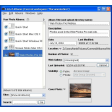
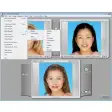
If you've got a bunch of digital photos that you quickly want to optimize then PicJet Studio could become your new best friend. The software comes with a range of tools that will automatically make adjustments to your pictures when you drag and drop them onto the corresponding tool's icon.

The editing tools in question are 'Collage', which automatically adds two images together when you drag them in; 'Converter', which transforms a picture from one format to another; a 'Stamp' tool for quickly adding text to an image: and a 'Resizer' to help you make an image fit to specified dimensions without any fuss.

PicJet performs all of these tasks remarkably quickly, and almost the instant you commit the file to be changed, the new version of it will appear in the save location.

What I like about this process is that the app doesn't overwrite the original file. Instead it adds a tag onto the filename indicating what's been done (e.

g. a file called 'image' would prompt a file called 'image_resize' to be created when resizing.

Ultimately this is a tool for performing very quick adjustments to files.

There are only four adjustments you can make and you won't find any advanced editing tools or advanced effects in here.
But if you want a quick way to convert, resize, stamp or create collages from your images, PicJet does the job without any fuss - and for free!

Pros
  • Very fast image processing
  • No-nonsense drag-and-drop interface
  • Auto-renames processed files
Cons
  • Only six image output formats
  • No advanced graphic editing tools or effects
Free Download PicJet Studio 2.6

PicJet Studio is virus free

We have analyzed the latest version of PicJet Studio with 30 antivirus engines and it is virus free. See analysis results.

TESTED VIRUS FREE - Softonic GUARANTEED

Developer's description

Do you have a bunch of digital pictures but no time or desire to handle them scrupulously one by one? Enhance your digital photos automatically by simply dragging and dropping!

PicJet Studio allows you to perform four frequently required enhancements in a simple and fast manner. And guess what? PicJet Studio provides great-looking results in a convenient way, and is absolutely and completely free!

Tool "Collage"

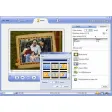
Feeling creative? Design a cool-looking collage of your favorite photographs! Learning curve? What learning curve? Just select your favorite pictures and drop them onto the Collage icon!

Tool "Converter"

Are you concerned with load times when you upload a photo album on the Web? Not sure if a Web browser can show the images as produced by your digital camera?

Remove any guessing and drop your digital pictures onto the Converter icon! PicJet Studio will carefully convert the images into a chosen compatible format, ensuring that they never exceed the file size you specify.

No learning required, just drag and drop!

Tool "Stamp"

Do you remember having a film camera with that cool imprinting feature that stamped the date you took a picture onto each photograph?

They don't often include this in digital cameras anymore. But all is not lost in this department, as you can easily stamp dates onto digital pictures in a much simpler way than you would do it with film!

PicJet Studio imprints the date you've taken the picture on a single photo or on a bunch of photographs quickly and easily.

Tool "Resizer"

Resize a bunch of digital pictures to fit any size completely automatically and without any hassle.

Review and rate PicJet Studio

Your avatar

Your opinion is important.
Help other users - be the first to review this program.

Review
  1. Maximum: 75 characters

  2. See example

Pros and Cons
Rate
  1. What rating would you give PicJet Studio?

    You need to fill in all fields

    • Usability:

      Not rated
    • Stability:

      Not rated
    • Installation:

      Not rated
    • Functionality:

      Not rated
    • Appearance:

      Not rated
    • Overall rating:

      Not rated
  2. Don't worry, we won't make your email address public.

You're not allowed to share serial numbers, cracks, etc. or link to pages that contain them. If you do, your user account will be deleted, your IP address logged and legal action will be taken.

Get started - just ask a question!

Write a title for your question.

Alternativesto PicJet Studio

  • In English:
    B/Works
    B/Works

    Create art pieces from your photos

    Softonic rating:
    • 9/10
    User rating:
    • 6/10
  • Better rating:
    FastStone Photo Resizer
    FastStone Photo Resizer

    Make various batch operations on photos

    Softonic rating:
    • 9/10
    User rating:
    • 9/10
Compare with PicJet Studio
Download rank: General

73 of 136

Softonic rating:
  • Very good
  • 8/10
User rating: (2 ratings)
  • Not good
  • 1/10
Your rating:
Your rating
  • 0

Review and rate this program

Top Downloads: General

  • United States
  • Global

  1. Great freeware image editor and optimizer

Reviews of PicJet Studio in other languages